
Constant Contact App
Download the Constant Contact app for iOS and Android.
Everything you need to manage your email and social marketing from wherever you are.

Create and launch your marketing on the go.
Build beautiful emails and social posts in minutes. Start with mobile‑ready templates, apply your colours and logos, or pull in imagery automatically from your website. Preview on desktop and mobile, then schedule or send. Plus, cross‑post to social in a tap to reach customers wherever they are.
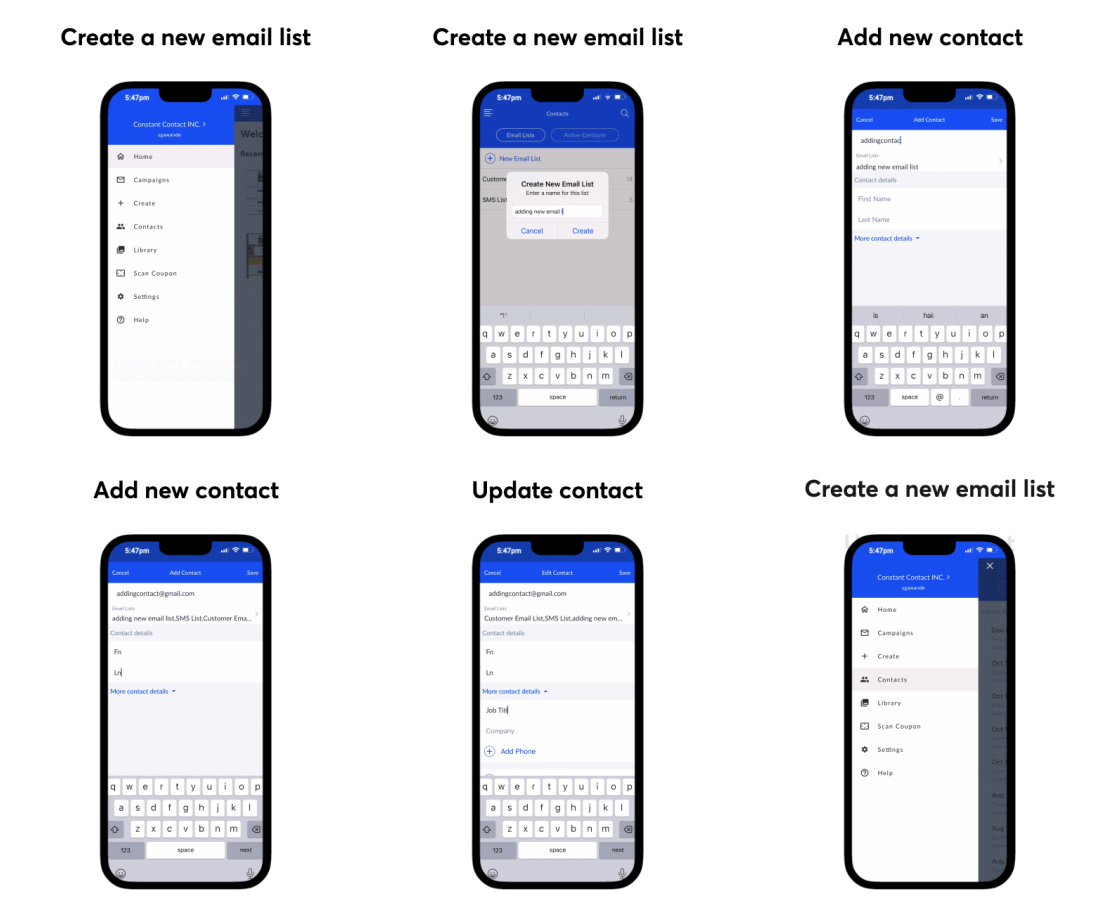
Keep up with contacts from anywhere.
Whether you’ve got 10 or 10,000 contacts, the Constant Contact mobile app puts marketing on easy mode. Simply add, edit, and organize contacts directly from your phone.
Learn what’s working, and lean in.
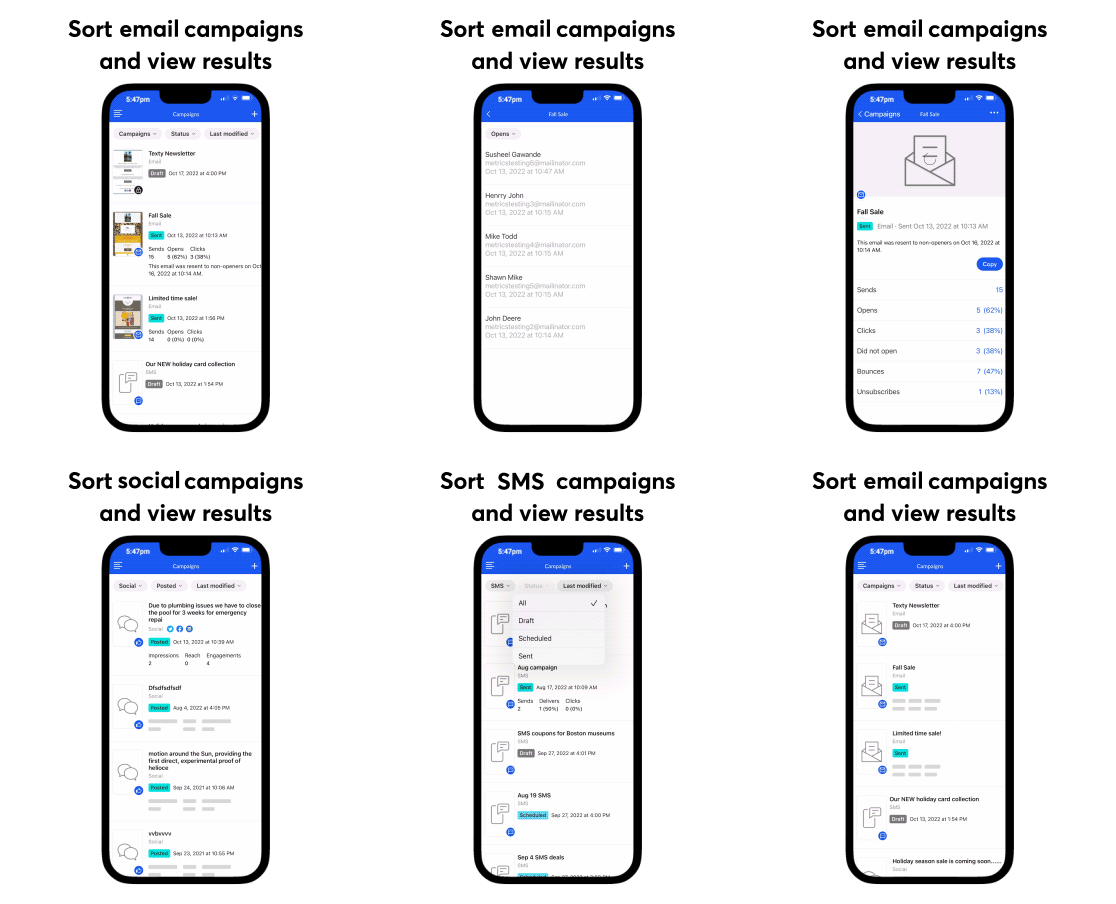
Reporting gives you the inside scoop on how your marketing campaigns are doing. See the results of your emails, social posts in one place, including opens, clicks, unsubscribes, and bounces.

The reviews are in.

Run your small business from your phone.
Build desktop and mobile-friendly emails in a few clicks
Easy drag-and-drop editor
Send emails immediately, or schedule for later
Make smart decisions with mobile dashboards and reports
A/B test subject lines and get engaging subject line recommendations
Start on desktop, finish on mobile
Get AI content recommendations for emails and more
Create and post to Facebook, Instagram, ond LinkedIn
Frequently asked questions
Yes, both. Download the app here on Google Play, or head to the App Store for Apple devices. Read the full how-to guide for step-by-step instructions.
Yes, you can create, customize, send, or delete an email directly from the app. Plus, edit emails on both mobile or desktop, switching back and forth as needed. Learn how in this article.
There are three main ways you can add contacts in the Constant Contact mobile app:
Manually add a single contact to your account
Import multiple contacts from your mobile device
Scan a contact’s business card to add their email address
Get essential reporting and tracking from the mobile app. Here’s how:
On Android, tap Campaigns via the left-hand menu. On Apple, tap on Campaigns in the navigation menu at the bottom of the screen
Then, tap Status > Sent at the top of the screen
Drill into a specific campaign to see more details, like opens, clicks, bounces, and unsubscribes.
Absolutely. Within the mobile app, you get access to social media tools like scheduling and short-form video posting. We currently support Instagram, Facebook, LinkedIn, and TikTok (on desktop).
Plus, you can:
Create posts with text, images, and video, and copy and paste posts between your social platforms directly from the app
Preview how posts will look before you publish them
Draft social posts on mobile and finish them on web, and vice versa
Get unlimited social video posting with Standard or Premium plans
Track impressions, reach, engagement, saves, likes, watch time, video views, comments, and shares on your social posts
Download the Constant Contact app today.
Create your account online with a free trial, or download the app directly from your phone to get going.